
CRM system for automating children's centers
The Classberry CRM system is specifically designed to automate
business processes in children's centers and early development
studios.
The CRM is intended to help organize both client interactions and
internal organizational processes, as well as provide detailed
reporting on every component of your business.
 Quick
Quicksetup
 Free
Freetrial
The Classberry CRM system is:
An automation system that provides a full set of tools to unlock the
potential of your children's center, increase its profitability and
competitiveness, and boost attendance at your center by 5–10 times in
the shortest possible time.
Classberry CRM will help you organize your operations and gain full
control over the situation.
A complete set of tools for organizing the work of your children's center
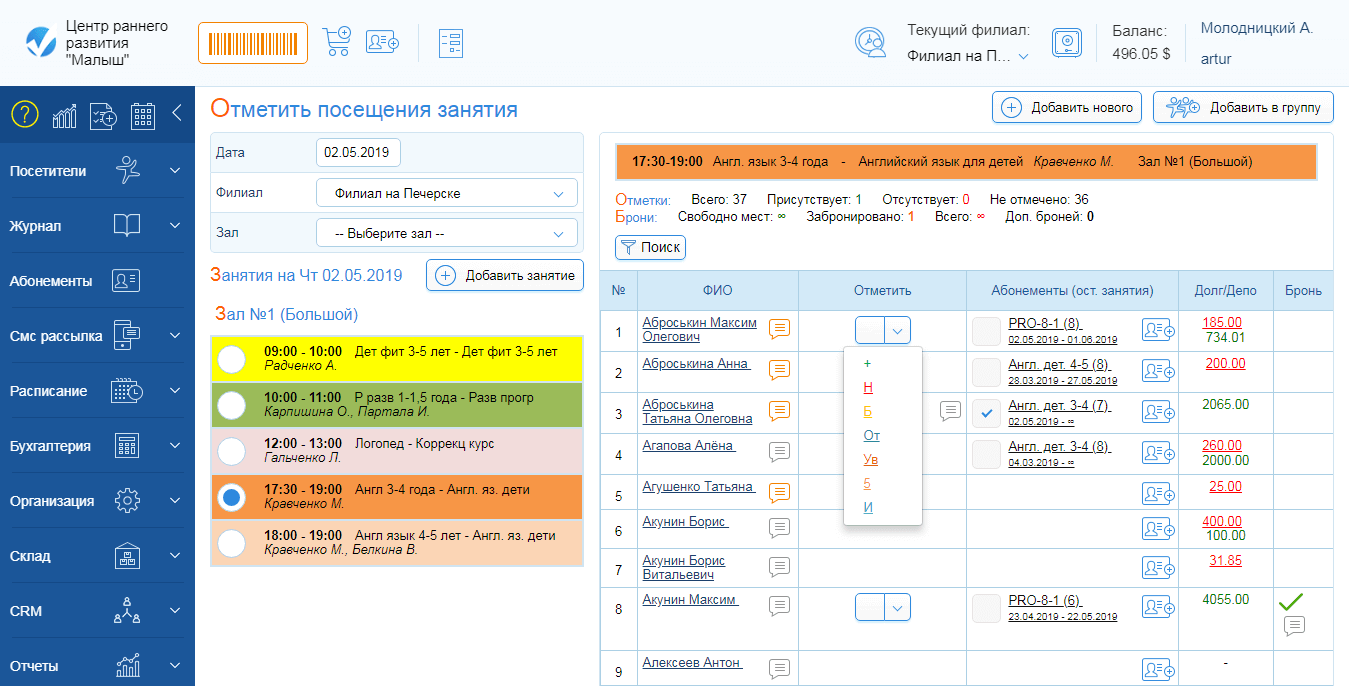
The electronic journal is the main universal page for working with visitors with many features:
- marking attendance, absences, make-ups,
- adding comments to marks,
- booking classes,
- selling memberships,
- settling debts and crediting funds to deposit,
- editing schedules, etc.
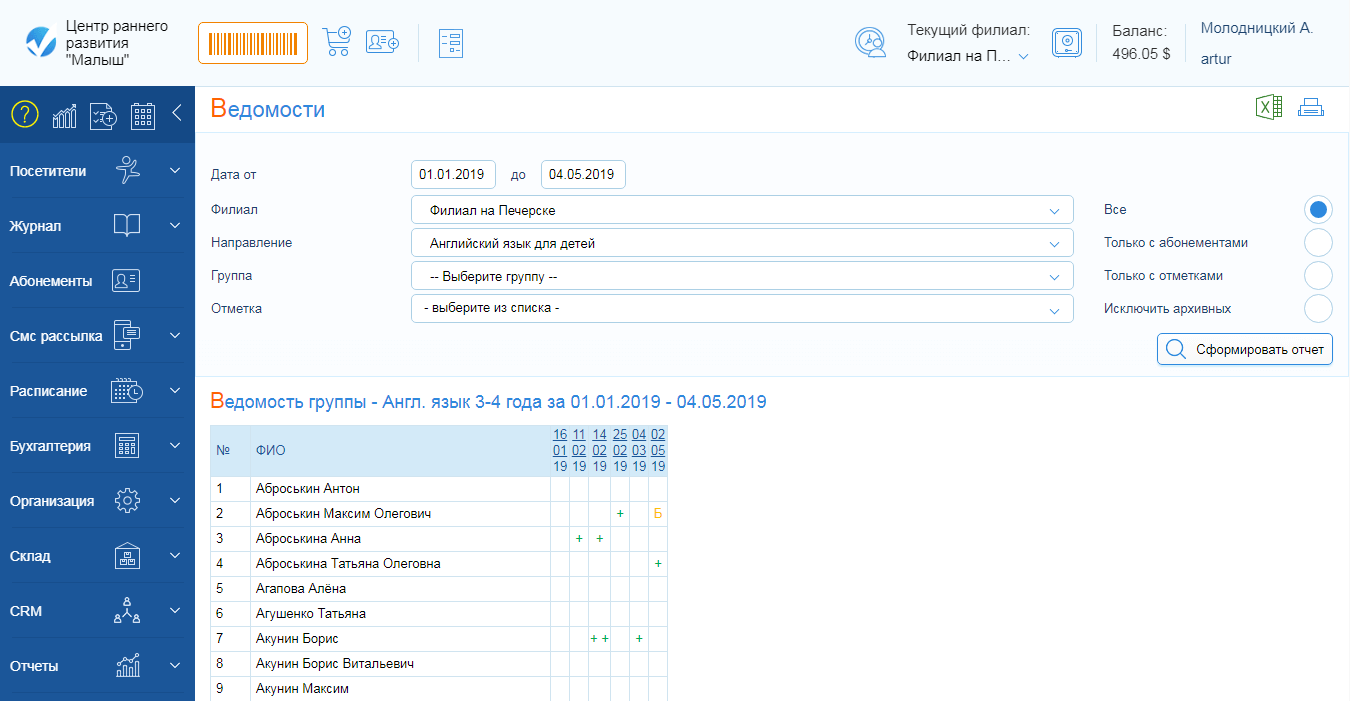
Attendance records will help you:
- quickly view the entire attendance history by groups,
- select visitors with absences or make-ups in a couple of clicks,
- view and write comments on marks,
- export attendance information to Excel.
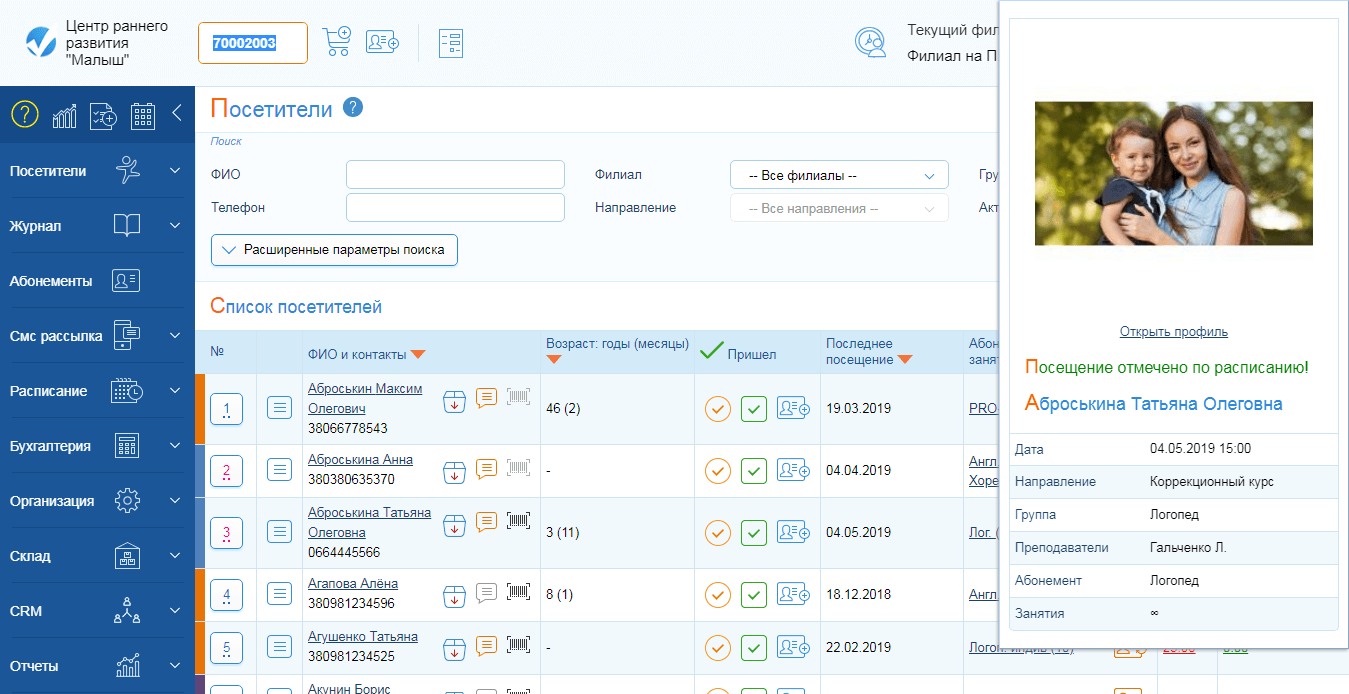
One of the branding tools is club cards, which not only speed up customer service but also become a business card of your center.
Club cards are:
- a simple and fast way of sharing information through "word of mouth",
- faster service for your customers,
- simplicity and reduced risk of errors in the administrator's work,
- and it is also pleasant to hold a small embodiment of your big idea in your hands.
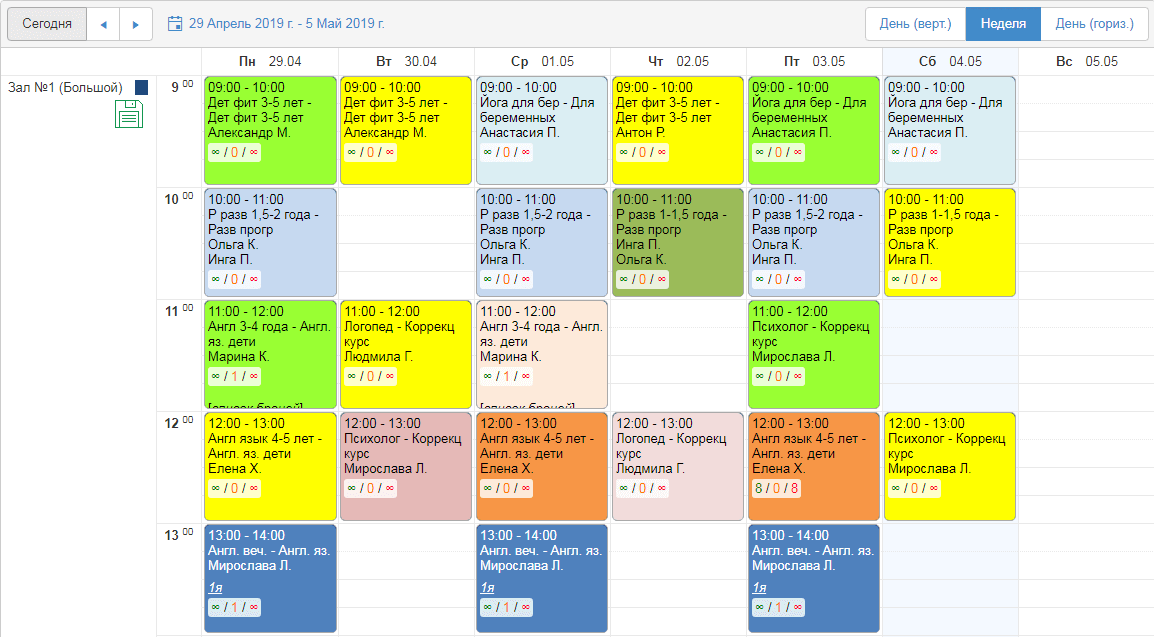
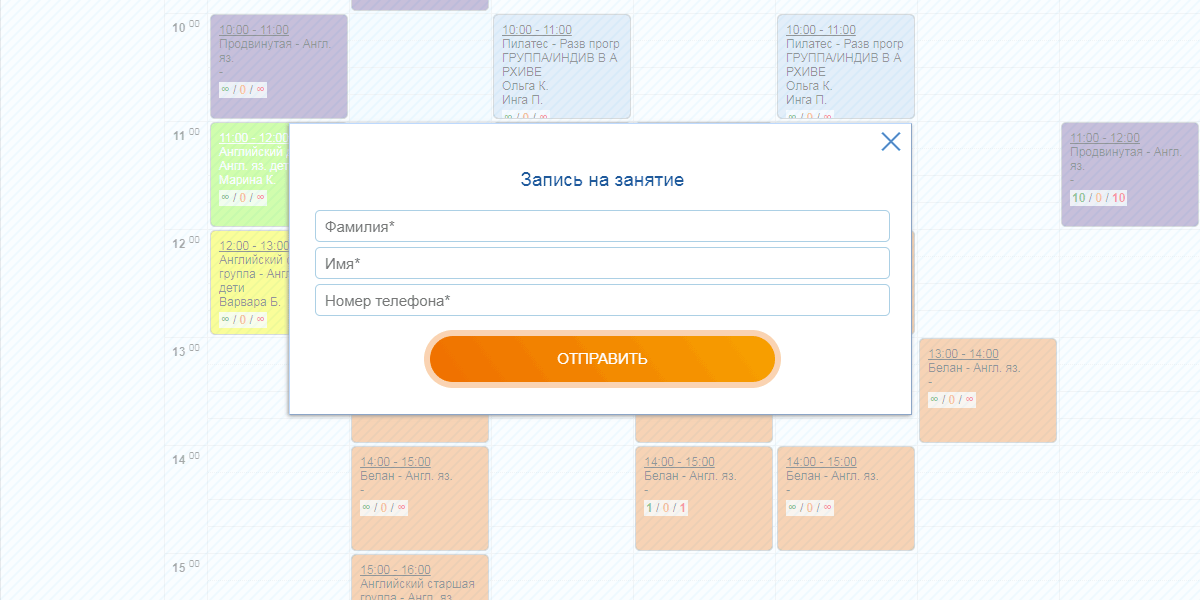
Using the schedule widget on your website, you:
- quickly and easily create schedules for group and individual classes,
- get a single schedule in the CRM system, on your website, on social media, and in the Visitor's Personal Account,
- efficiently manage rescheduling and cancellations,
- can share a schedule link in messengers and social networks, even without having your own website.
Online class booking is available both to your current clients and leads:
- receive online booking requests from your website from potential clients,
- reduce the workload on your administrators - enable online class booking in the Visitor's Personal Account,
- reduce routine - allow your clients to independently cancel and reschedule bookings.
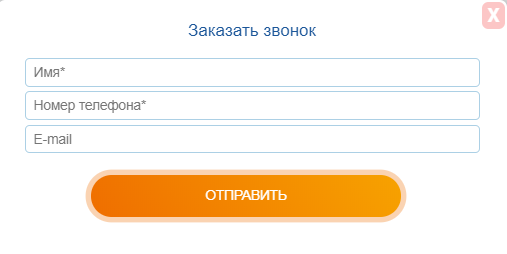
Place a stylish feedback form on your website and:
- receive requests directly in the CRM system,
- configure notifications about requests to phone, email for yourself and employees
- track processing speed of requests,
- monitor advertising sources.
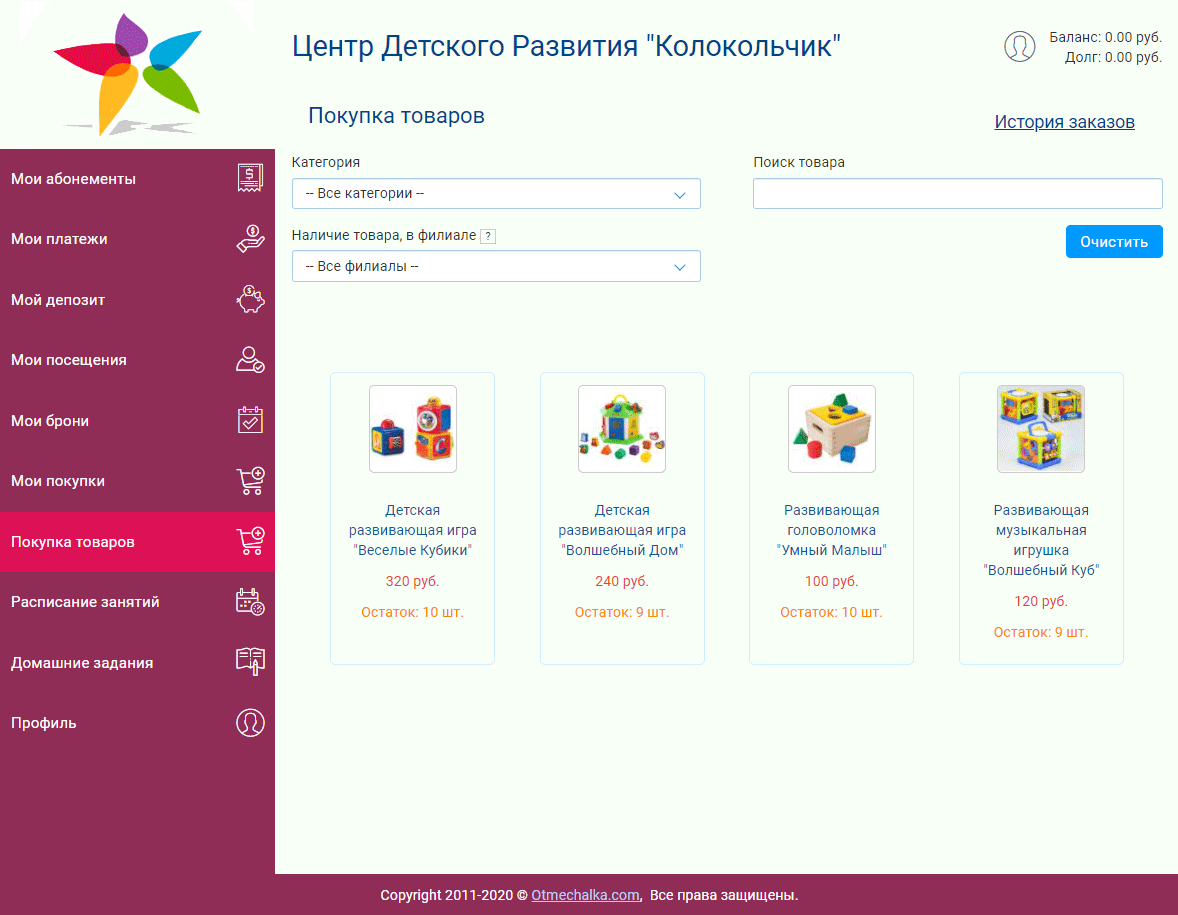
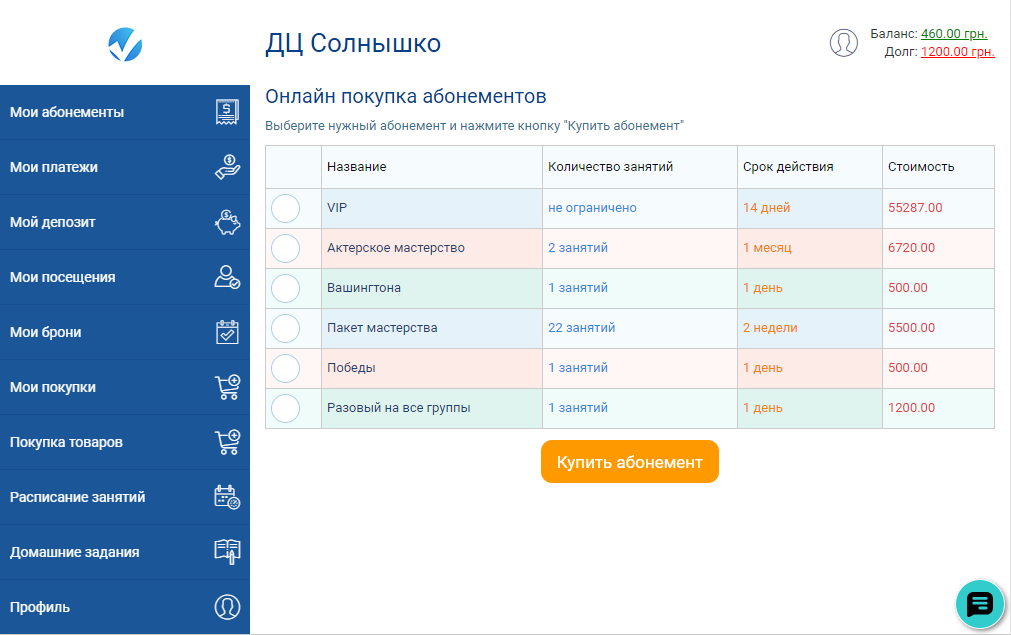
A branded Visitor Personal Account will not only serve you well in providing clients with information about their:
- active memberships,
- number of classes and
- payments,
it will also provide the ability to:
- receive homework,
- book classes online,
- cancel and reschedule bookings,
- as well as chat with the administrator,
and will also become another sales platform for:
- selling memberships,
- related products,
- debt repayment
- deposit top-ups.
And all this your clients can do independently at any time of the day and from anywhere in the world, using any device with an Internet connection!
Sell memberships and products:
- from the Visitor Personal Account,
- from your website or social media pages,
- via messengers, using quick payment links.
Connect multiple payment systems at once providing maximum convenience for online purchases for your clients.
All memberships, products, and payments for them will automatically be accounted for in the CRM system, and the money will go directly to your accounts.
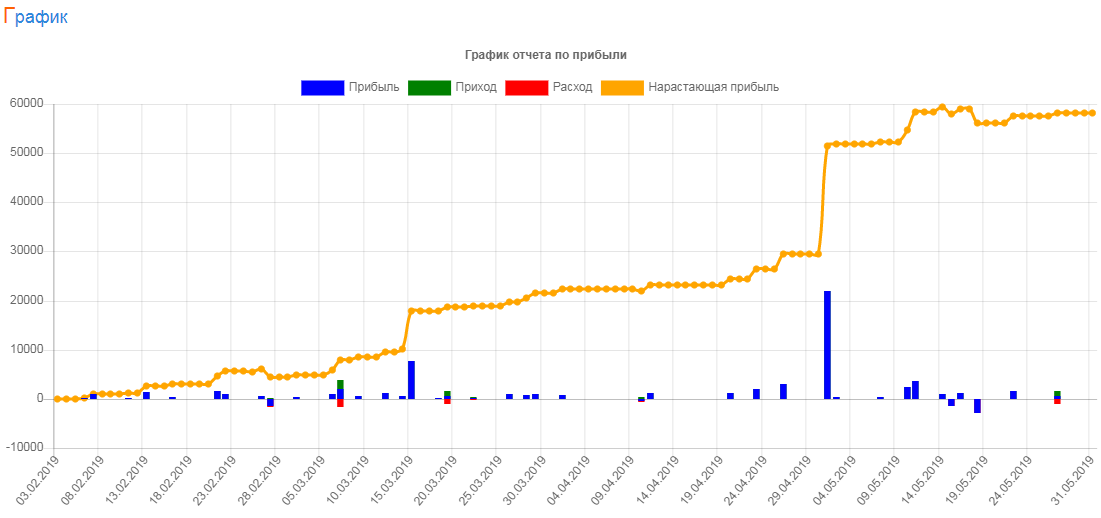
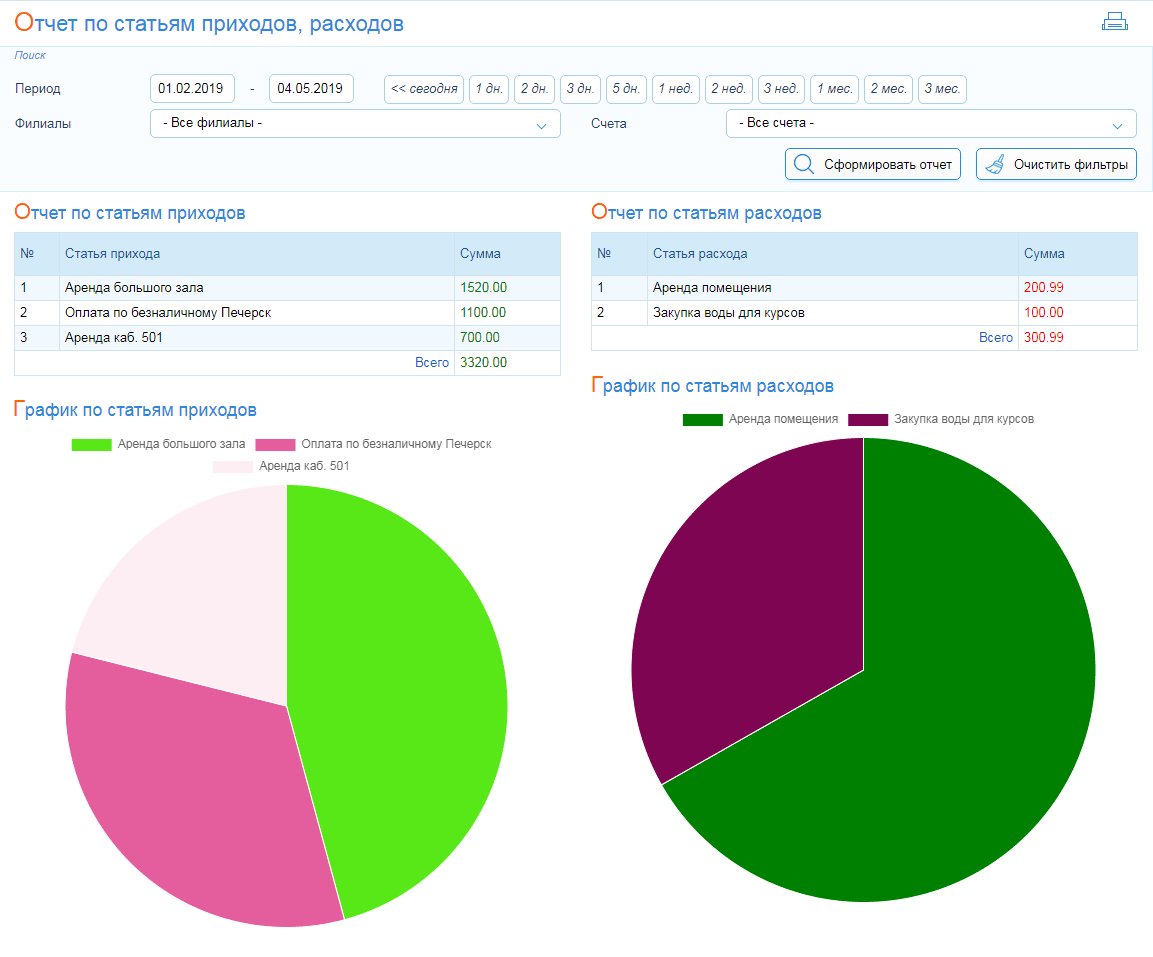
How much time do you spend generating the necessary reports?
Does it happen that so much time is spent that creating strategically important reports is postponed for later in favor of routine tasks?
Classberry CRM has all the necessary reports, which are generated instantly based on your center's statistical data.
- Customer base growth
- Lost customers
- Profit and expense report
- Full financial accounting
- Management P&L report
- Sales funnel
- Attendance list
- Active and sold memberships, etc.
With Classberry CRM, you get more than 50 reports in various views, developed based on many years of experience of real managers of children's centers.
With us you will receive high-quality
service and data security guarantees
 01
01
 02
02
 03
03
 04
04
 05
05
 06
06
Tariffs
with additional modules
of active visitors
without additional modules
active visitors
without additional modules
active visitors
without additional modules
active visitors
Reviews from our clients
We connected the CRM system in September 2023
The system is easy to use, every step has a recorded
instruction, so it is quite easy to understand. Technical
support is always available, helping and consulting on any
questions❤️
We are very satisfied with the chosen service. It helps us
quickly manage client records and issue memberships in our
center, and also guarantees reliability for our clients - they
can at any time receive a statement of their visits and payments
for the entire period of cooperation with us.
Ease and accessibility of use help to remotely control and make
necessary changes in the system for both the director and the
administrator.
Convenient reporting, up-to-date information on income/expenses
allow us to plan our costs for center development and expansion
of services provided.
Thank you for the convenient service and timely issue
resolution.



















Get started with the system in just 10 minutes



They already work with us





Frequently asked questions
Request a consultation
By submitting the form, you agree to the privacy policy
How to Choose a CRM for a Children’s Center
When a children's center is just starting out, most processes are handled manually: Excel spreadsheets, messages in messengers, paper journals. At the beginning, this seems like a convenient and inexpensive solution.
But as the center grows, the situation quickly becomes more complicated.
New groups appear, more teachers, dozens or hundreds of clients, subscriptions, regular payments, and leads from advertising. As a result, the administrator may forget about a payment, the teacher may not see the current schedule, and the owner may not understand the real picture of the business.
At some point, manual accounting stops helping and starts slowing down development.
That is when the question arises: how to choose a CRM for a children's center that will not just replace spreadsheets, but help organize processes and scale the business.
In this article, we will cover:
- when a children's center really needs a CRM
- what tasks it should solve
- what to look for when choosing
- and what mistakes to avoid

Why a children's center needs a CRM
At a certain stage of development, most children's centers face the same problem: the number of processes grows faster than the ability to control them manually. What worked at the start stops being effective.
CRM for a children's center allows you to bring all key processes together in one system and eliminate chaos in daily operations.
- Customer management — all information about children and parents is stored in a single database
- Class schedule — an up-to-date schedule for administrators and teachers without confusion
- Payment control — the system tracks payments, debts, and reminds about renewals
- Lead management — no leads are lost, all inquiries go through the funnel
- Analytics — the owner sees real numbers: occupancy, sales, repeat payments
As a result, automating a children's center helps reduce errors, increase control over processes, and free up the team’s time for working with clients instead of spreadsheets.
What tasks should a CRM for a children's center solve
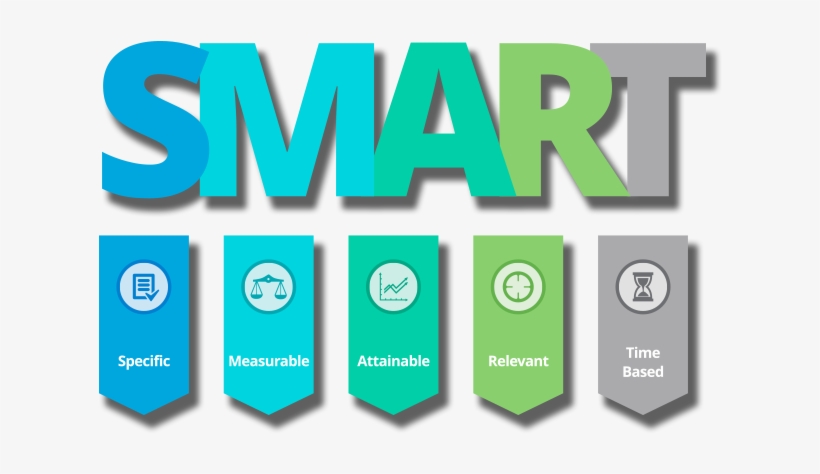
Here are the main tasks a CRM system should solve:
Customer management
High-quality customer management is the foundation of the entire center's operations. The CRM should contain a complete history of interaction with each client.
- parents' contact details
- payment history
- subscriptions
- attendance
- administrator notes
- communication history
- contracts
- debts and deposits
Class schedule
The schedule is one of the most complex areas in a children's center. The CRM should allow quick management of all changes without errors.
- group classes
- individual lessons
- classrooms
- teacher substitutions
- rescheduling
- waiting list
Subscriptions and payments
Financial control is one of the main reasons to implement a CRM. The system should automate work with payments and renewals.
- single classes
- class packages
- monthly subscriptions
- subscription freezes
- renewal reminders
- debt control
Sales and lead management
CRM helps avoid losing leads and enables systematic sales management.
- sales funnel (lead → client)
- lead statuses
- lead sources
- manager performance control
- repeat sales
Analytics and reports
Without numbers, it is impossible to effectively manage a center. CRM provides access to key metrics in real time.
- group occupancy
- customer LTV
- retention (repeat purchases)
- outstanding debts
- lead conversion
If a CRM system covers all these tasks, it not only simplifies operations but becomes a full-fledged management tool for a children's center.
Types of CRM systems for a children's center
Before choosing a system, it is important to understand that CRM for a children's center can differ significantly in functionality and approach. Not all solutions are equally suitable for the education business.
They can be roughly divided into several types:
Universal CRM systems
These are solutions suitable for various business areas: sales, services, B2B.
- flexible settings
- wide functionality
- often complex to implement
Such systems may work, but usually require customization for the specifics of a children's center.
Specialized CRM for educational and children's centers
These are solutions that already take into account the specifics of the education business.
- built-in subscription management
- convenient class scheduling
- attendance tracking
- integrated finances and analytics
Such CRM systems are usually implemented faster and do not require complex setup.
Excel and custom-built solutions
Some centers try to build their own accounting system using Excel or other tools.
- low initial cost
- lack of automation
- high risk of errors
- difficulty scaling
This approach may work only at the initial stage, but as the center grows, it quickly becomes ineffective.
Understanding these differences helps make the right choice and avoid wasting time on a system that does not fit the needs of a children's center.
How to choose a CRM for a children's center: 7 key criteria
Choosing a CRM is not just a matter of convenience. It determines how efficiently your center will operate, whether clients will be lost, and whether you will be able to scale your business.
To avoid mistakes, pay attention to the following criteria:
1. Specialization for children's or educational centers
Universal CRM systems often require complex setup. It is better to choose solutions that are already adapted for the education business.
This allows you to launch faster and not spend resources on customization.
2. Subscription and payment management
The system should support different formats of classes and payments:
- single classes
- class packages
- monthly subscriptions
- freezes
- renewal reminders
This functionality often delivers the greatest financial impact.
3. Convenient class schedule
The schedule should be easy to use and flexible:
- quick editing of classes
- rescheduling and teacher substitutions
- management of group and individual classes
4. Lead and sales management
The CRM should help not only track but also sell:
- sales funnel
- lead statuses
- manager performance control
- conversion analytics
5. Analytics and reports
Without numbers, it is impossible to manage a business. The CRM should show:
- group occupancy
- revenue and debts
- customer LTV
- repeat sales
6. Ease of use
A complex system creates the risk that the team will not use it.
Ideally, an administrator should be able to understand it without lengthy training.
7. Implementation speed and support
Pay attention to how quickly you can get started and whether support is available:
- help with onboarding
- team training
- technical support
Tip: before choosing, be sure to test the CRM in real work. This will help you understand how well it fits your specific children's center.

Common mistakes when choosing a CRM for a children's center
Even understanding the main criteria, many children's center owners make the same mistakes when choosing a CRM. As a result, the system does not bring value or is not used at all.
Here are the most common mistakes to avoid:
Choosing a universal CRM without considering specifics
Many systems look powerful but do not take into account the specifics of children's centers: subscriptions, schedules, attendance.
As a result, you have to customize the system or return to spreadsheets.
Focusing only on price
The cheapest solution is not always the best. If the CRM does not cover key tasks, losses from errors and lost clients will be much higher.
Overly complex interface
If the system is difficult to use, the team simply will not use it.
As a result, the CRM is implemented, but processes remain manual.
Lack of testing before launch
Choosing a CRM without testing is like buying a car without a test drive.
Even a good system may not fit your processes.
Ignoring integrations
The CRM should work together with other tools: website, messengers, advertising.
Without this, some leads will still be lost.
Lack of support and training
If there is no help during implementation, the team spends a lot of time figuring out the system or stops using it altogether.
Conclusion: most problems arise not because of the CRM itself, but because of an incorrect choice. If you consider these mistakes in advance, implementation will be much easier and more effective.
CRM or Excel: what is better for a children's center
Many children's centers start with Excel or Google Sheets. This is understandable: fast, free, and does not require training.
But as the number of clients and processes grows, spreadsheets stop handling the load. Errors appear, data gets lost, and it becomes harder to control payments and schedules.
CRM for a children's center solves these problems through automation and data centralization.
Conclusion: Excel can be a good solution at the start, but for a growing children's center, a CRM system becomes a necessity.
How CRM changes the work of a children's center: an example
To better understand the impact of CRM implementation, let’s look at a typical example of a children's center before and after automation.
Before (without CRM)
- customer records in spreadsheets and messengers
- leads are lost or processed with delays
- no reminder system for payments
- some clients do not renew subscriptions
- the schedule is constantly changed manually
- the owner does not see real business metrics
After (after CRM implementation)
- all customers in a single database with interaction history
- every lead goes through the sales funnel
- automatic reminders for payments and renewals
- increase in repeat payments and retention
- convenient and up-to-date schedule without confusion
- access to real-time analytics
Result
- fewer lost clients and leads
- more repeat sales
- time savings for the administrator
- full control over processes
Conclusion: a CRM for a children's center does not just replace spreadsheets, but helps systematically increase revenue and bring order to the business.
Which CRM to choose for a children's center
Once you have defined key criteria and understood your tasks, choosing a CRM becomes much easier. The main thing is to select a system that already takes into account the specifics of a children's center and does not require complex customization.
In practice, the best solutions combine:
- customer and attendance management
- flexible class scheduling
- subscription and payment management
- sales funnel and lead tracking
- analytics and reports
For example, CRM for a children's center by Classberry already includes all the necessary tools for automation: from the first client contact to payment control and analytics.
This allows you to quickly launch the system without complex setup and start getting results within the first weeks of use.
FAQ: common questions about CRM for a children's center
Is CRM suitable for a small children's center?
Yes. Even if you have 20–30 clients, CRM will help organize processes and avoid mistakes in the future.
Is it difficult to switch from Excel to CRM?
No. In most cases, data can be imported, and basic processes are set up quite quickly.
How long does implementation take?
Basic setup can take 10–15 minutes. Full customization for business processes takes from a few days to 1–2 weeks.
Is team training required?
Usually, a short onboarding is enough. If the system is user-friendly, administrators quickly start working independently.
Is CRM suitable for online classes?
Yes. CRM can be used for both offline and online learning formats.
How much does a CRM for a children's center cost?
The cost depends on functionality and pricing plans, but usually the system quickly pays off due to automation and increased sales.
Conclusion
Choosing a CRM for a children's center is an investment in order, control, and business growth. The right system allows you to automate key processes, reduce errors, and improve team efficiency.
The main thing is not to rush the choice, test solutions, and select a CRM that truly matches the needs of your center.
28.04.2026